
Calibrated QuickLook
free macOS Finder extension to play previews and display thumbnails for BRAW, R3D and more RAW formats
Included free with Tin Man (macOS)
— no license required!
Advanced video previews and fast thumbnail browsing in macOS Finder
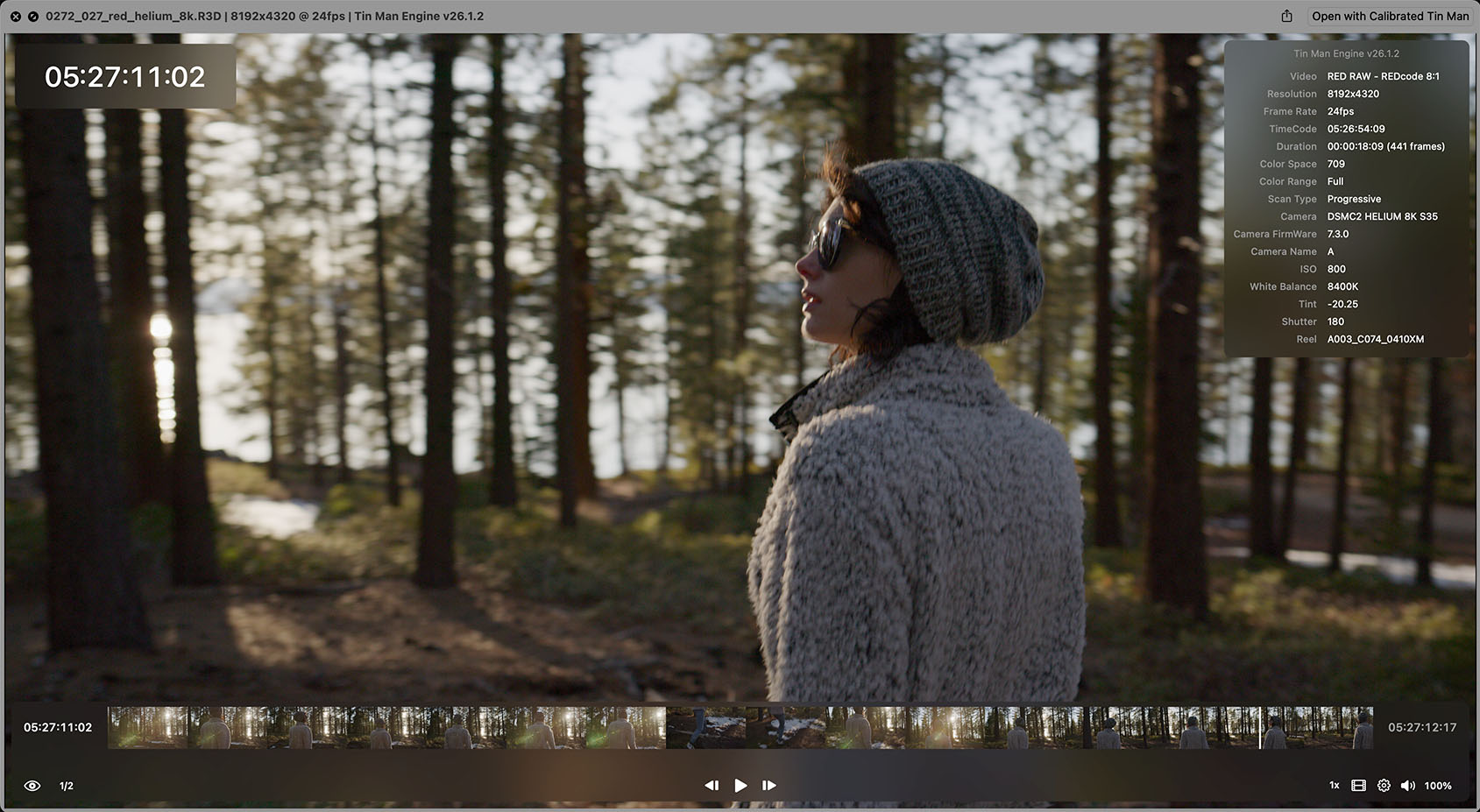
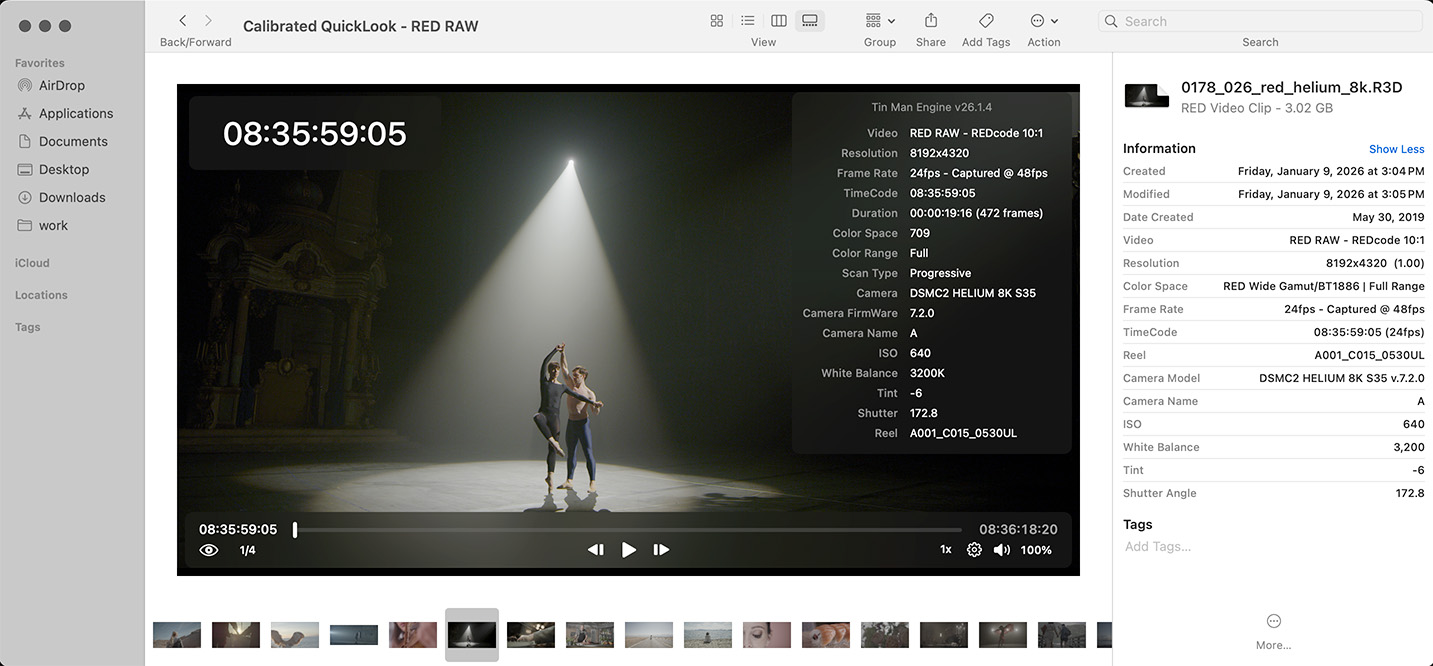
Calibrated QuickLook is a free macOS extension powered by a streamlined version of the Tin Man Decoding Engine for high-quality playback and accurate color reproduction. Once installed – it enables Finder to play previews and display thumbnails for BRAW, R3D, MXF* and more professional camera RAW formats.
Playback Preview & Thumbnail support
Playback Preview Features
*Please note – macOS loads Apple’s native MXF QuickLook extension at startup. To allow Calibrated QuickLook to handle video previews for supported MXF files, Finder must be restarted after each system startup.
Built for production and post-production workflows
Calibrated QuickLook is ideal for DITs, assistant editors, post engineers, and archivists who need to visually identify footage at a glance or quickly playback files without opening an application. Instead of relying on filenames or launching dedicated software, you can playback or browse BRAW, R3D, MXF* and more professional camera RAW files directly in macOS Finder.
Because it integrates directly with the macOS QuickLook architecture, Calibrated QuickLook enhances everyday workflows without requiring any additional applications to run.
Simple installation
Installation is straightforward: run the Tin Man macOS installer and after installation – Calibrated QuickLook is registered with macOS.
No license is required!
It works on macOS 12.4 and newer. The plugin can be enabled or disabled in System Settings → General → Login & Extensions → QuickLook.
Calibrated QuickLook is completely free and is included as a community resource to make BRAW, R3D, MXF* and RAW-based workflows easier for production and post teams.
*Please note – macOS loads Apple’s native MXF QuickLook extension at startup. To allow Calibrated QuickLook to handle video previews for supported MXF files, Finder must be restarted after each system startup.
Documentation
Full documentation, troubleshooting steps, and metadata details are available at:
Download it today!
Included free with Tin Man (macOS)
— no license required!
FAQ
Does macOS Finder support Blackmagic RAW (BRAW) thumbnails or playback?
No. macOS Finder does not provide native thumbnail or playback support for Blackmagic RAW (BRAW) files.
How can I view BRAW thumbnails and playback in macOS Finder?
Install the free Calibrated QuickLook extension included with the Tin Man app. It enables Finder thumbnails, space-bar playback, scrubbing, metadata overlay, and timecode overlay for BRAW files.
Does this also work with RED RAW (R3D)?
Yes. Calibrated QuickLook adds thumbnail and space-bar playback support for RED RAW R3D files as well.
What other formats are supported?
Calibrated QuickLook also supports ARRIRAW(MXF*/ARI/ARX), Sony RAW (MXF*), Canon RAW(CRM/RMF), Nikon RAW (NEV), DPX, and MXF* files for thumbnails and playback in macOS Finder.
Is the QuickLook extension free?
Yes. It installs automatically with the Tin Man trial and does not require a license.
Does it work on macOS Sequoia and Tahoe?
Yes. Calibrated QuickLook supports macOS Sequoia and later.
*Please note – macOS loads Apple’s native MXF QuickLook extension at startup. To allow Calibrated QuickLook to handle video previews for supported MXF files, Finder must be restarted after each system startup.